
Tips & Tricks on Using GPS
This page is intended to help you to choose and set up a GPS receiver to record skydives and wingsuit flights for later evaluation with Paralog. It will not tell you how to use your unit as most devices come with a detailed manual which describes all the necessary steps. So does Paralog. Use it!
The Receiver
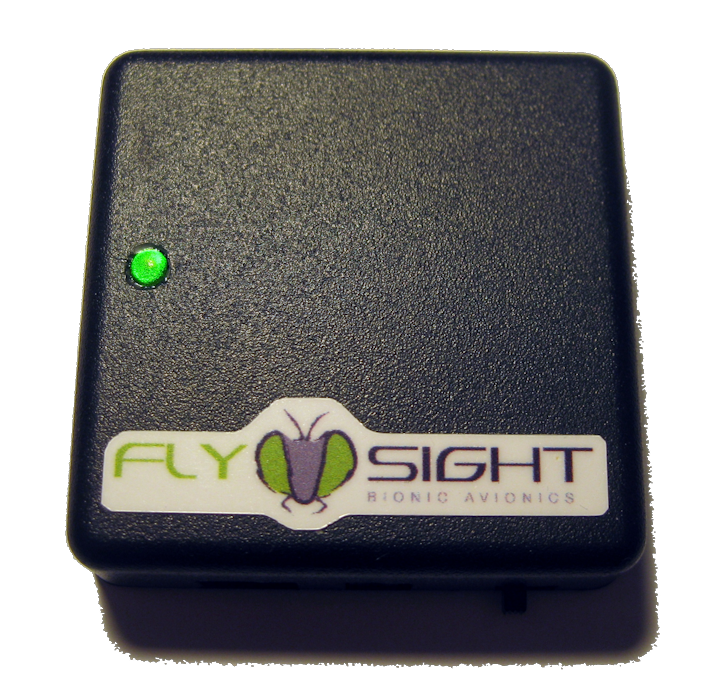 Since its introduction, the FlySight has become the de-facto standard
in GPS logging and performance feedback for skydiving and wingsuit flying. We can only highly recommend it!
Since its introduction, the FlySight has become the de-facto standard
in GPS logging and performance feedback for skydiving and wingsuit flying. We can only highly recommend it!
The FlySight is a matchbox sized logging GPS receiver. It has a built-in battery which is rechargeable throught the USB port. Tracks can be downloaded through USB. The unit can easily be mounted on the back of your helmet. Others have succesfully used pouches sewn onto the back of their Z1 or onto the back of an armwing.
Preparing for the Jump
Each morning, turn on the GPS and have it acquire a good fix for 15 mins to reduce the TTFF.
Before boarding the plane turn the GPS on and have it acquire a good fix for 1-2 mins. Turn the unit off again. For the next 30 mins. the unit will do a hot fix, which will usually last less than 5 secs - or simply leave the GPS turned on during the whole flight.
On Jump Run
Turn the GPS back on on the 2 min call. Hold the GPS close to a window with a clear view of the sky (i.e. not a window under the wing). The GPS will usually acquire a solid fix within a few secs and keep it while you walk to the door - or simply leave the GPS turned on during the whole flight.
During Freefall/Canopy Flight
Keep the GPS oriented towards the sky. Mounting the GPS on the mud flap or the main lift web will result in poor data.
After Landing
Turn the GPS off only after landing but before you walk back to the hangar.
Downloading
Connect the GPS to your computer and follow the manufacturers instructions to prepare it for computer accesss.
Start Paralog and download the tracks. Paralog crop superfluous data before and after the track, extract the usual jump details like exit and open altitude, delay, etc. as well as horizontal and vertical distances and speeds, glide ratio, course, etc. and save the converted tracks into its logbook.
Analyzing the Jump
Every downloaded track can be analyzed individually using Paralog's jump profile chart and jump profile details view.
Uploading Tracks to PPC - the 'Paralog Performance Competition'
Wingsuit flights can be uploaded to PPC for scoring in the three worldwide performance ranking categories.