
News
Paralog 8.9 released
Paralog 8.9.3 introduces a flexible, future-proof workaround for the 'Alti-2 Date Overflow Bug'.
Paralog 8.7 released
Paralog 8.7 adds support for Speed Skydiving and includes several optimizations and improvements.
Paralog 8.6 released
Paralog 8.6 adds support for the N3/Atlas 'Date Overflow Bug' firmware upgrade.
Integration with jumplog.net was simplified and improved.
Paralog 8.5 released
Paralog 8.5 adds a workaround for the N3/Atlas 'Date Overflow Bug'.
The FlySight S/N is now read from FLYSIGHT.TXT on the unit.
Paralog 8.4 released
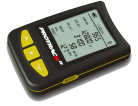
Paralog 8.4 adds support for the ProTrack II by Larsen & Brusgaard.
Wind information is uploaded to PPC.
Paralog 8.3 released
Paralog 8.3 adds support for Windows 10 and removes most of the limitations on the trial version. Tracks are now downloaded
in full resolution and can be uploaded to PPC as an unregistered user. Registered users can administrate their PPC tracks
(e.g. make them private) and user profile. Speed Skydiving is supported on PPC.
Wind is calculated automatically from FlySight tracks
(requires a constant TAS circle to be flown between 2000-3000m on the way to altitude).
Paralog 8.2 released
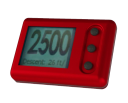
Paralog 8.2 adds support for the Atlas by Alti-2.
Paralog 8.1 released
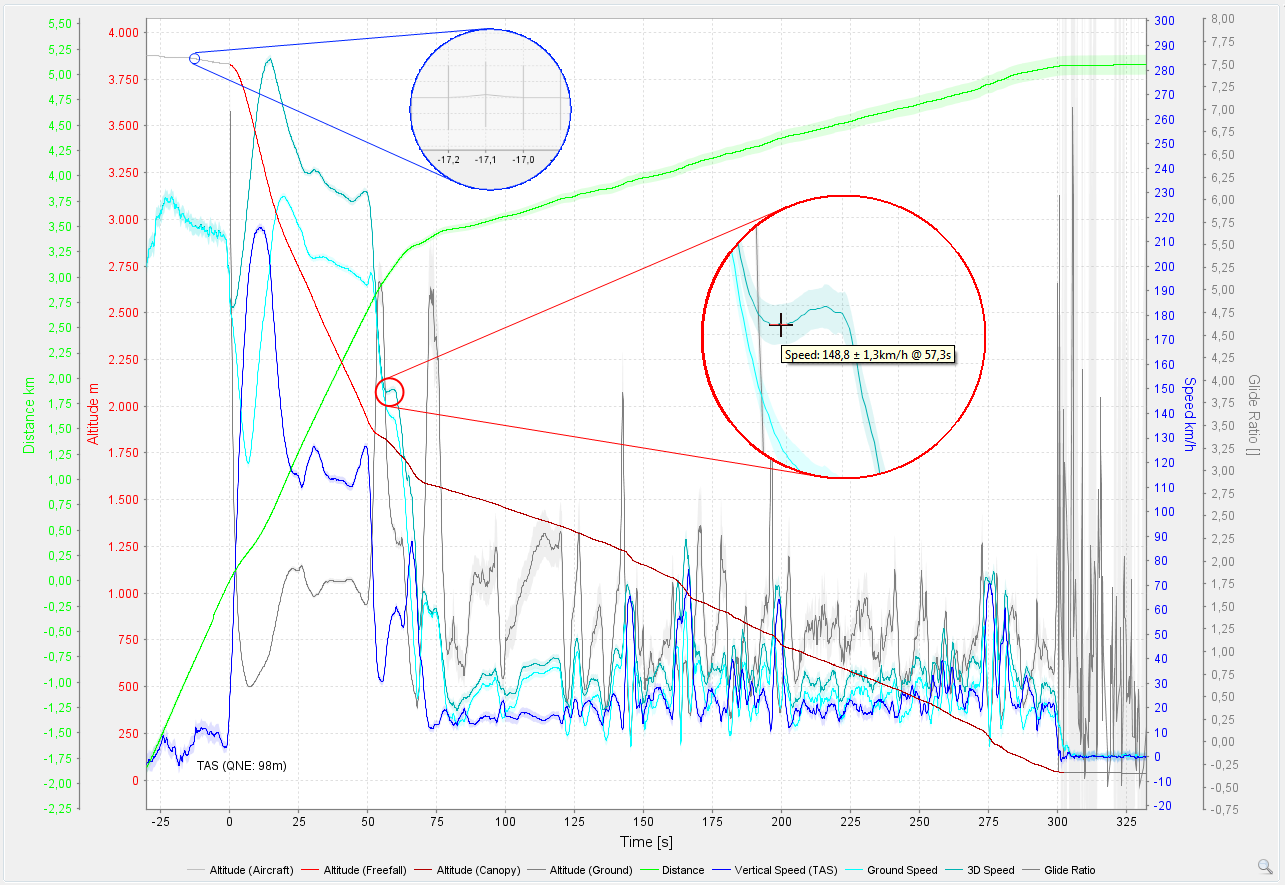
Paralog 8.1 focuses on supporting the extended capabilities of the FlySight GPS Logger:
- FlySight is now a dedicated logger instead of 'just another GPS'
- Auto-detection of FlySight and auto-load of last recorded track
- Drag & Drop and File Drop support for FlySight tracks
- Speed information logged by FlySight is used
- Heading* information logged by FlySight is used
- Accuracy information logged by FlySight is used and visualized
- FlySight logs with 10Hz* are supported
- Automatic wind calculation for FlySight* tracks
- Chart panning is enabled
- Improved cursor sync between chart and video
*Requires FlySight firmware update
Paralog 8 released
One year after the last release of Paralog, a new major version has been released. The focus of this release is support for the latest Operating Systems (Windows 8.x (32 and 64bit - Desktop), OSX Maverick (64bit), Linux 14.04 (including 64bit)), for the enhancements of the latest Java Runtime Environment (Java 8), a new video engine with instruments overlay and support of the latest release of the Skydiving Logbook App available for Android and iOS.
Another major addition to Paralog 8 is the integration of Alti-2's 'Neptune Maintenance Utility' (NMU), available from Alti-2.
Other changes include:
- Notes for multiple jumps can be edited at once
- Multiple jumps can be exported to Google Earth at once
- Added support for more GPS units, e.g. the Garmin Forerunner Series; updated place lookups
- Enhancements to automatic logger detection, also available on OSX/Linux
- GUI enhancements for OSX/Linux
- Image Column shows image as tooltip; Jump Profile Column shows icons
- Compressed PPC and jumplog.net up- and downloads. PPC uploads support raw tracks for dynamic charts
Alti-2 Neptune Maintenance Utility (NMU) Integration
We have reached an agreement with Alti-2 to include the functionality of the Neptune Maintenance Utility (NMU) into Paralog.
This will combine setup, configuration and update capabilities for the whole line of Neptune products (including Neptune 2 and N3(A)) with the existing downloaded and display of Neptune jump logs already available for Windows, OSX and Linux.
For further information and Paralog-NMU specific support requests please contact [email protected]. To download Paralog-NMU, please see Alti-2's web site.
Free Online GPS Viewer
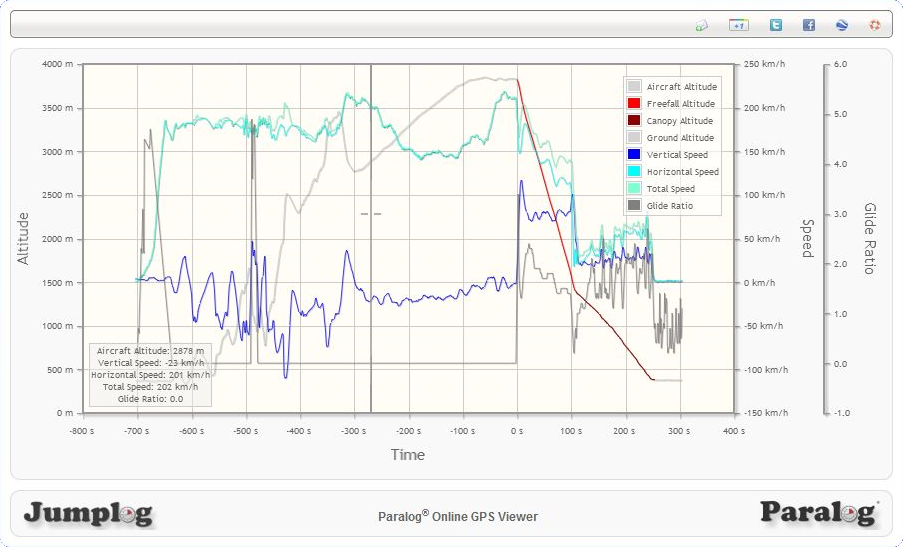
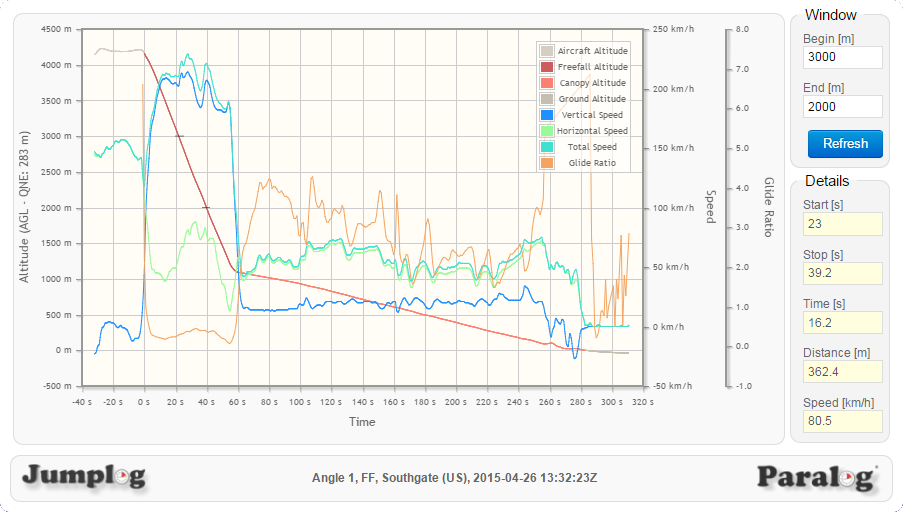
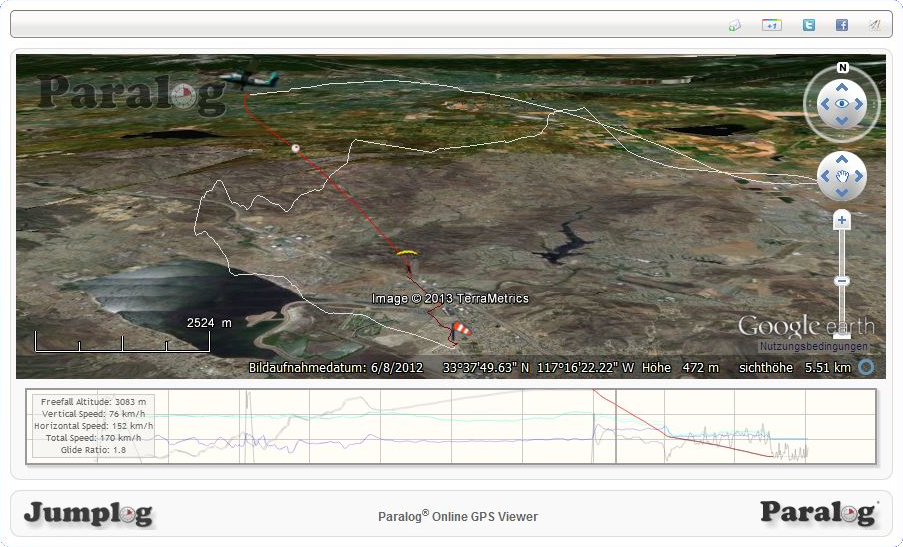
A free Online GPS Viewer with support for FlySight and GPX tracks has been made available online by Paralog.
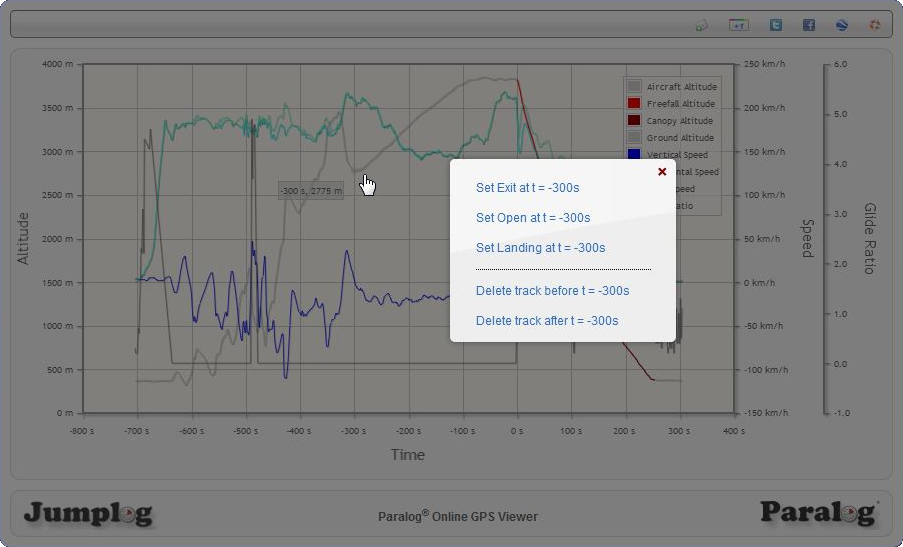
Tracks can easily be uploaded to the viewer using Drag&Drop where it can be be explored in an interactive chart or in an interactive 3D view. The interactive chart also offers comfortable editing capabilites for the uploaded track, e.g. cuting lead ins and leads out and setting exit, open and landing points for better visualization.
The viewer offers automatic exit/open/landing detection and track analysis as seen in Paralog.
Note: Please be aware that the viewer uses a reduced resolution and simpler algorithms than Paralog for performance reasons. Results may therefore differ.
'Paralog Mobile' released
Access your jump log any time from any place the new Paralog Mobile client for Android and iOS.
Features:
- Log Summary
- Jump Log Overview
- Jump Details
- Sign Jumps
- Profile Chart
- Lists of Dropzones, Jump Types and Equipments
- Settings
- Wingload Calculator
Requirements:
- Smartphone running Android or iOS
- Account and logbook on jumplog.net
The app is now available for iOS and Android from Stephan Beutel.
Paralog 7 released
Although skydivers hate clouds, you have been bugging us to move Paralog there. We listened and released a cloud-based version of Paralog!
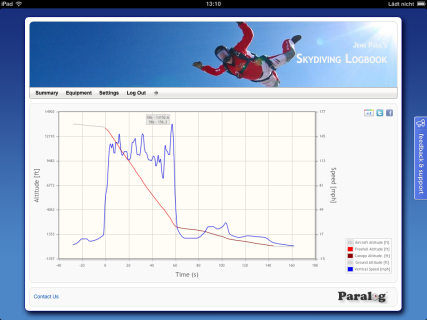
Jumps can be synchronized between Paralog and the cloud-based service. An interactive web interface is available for desktop, tablet and smartphone browsers to add, display, edit and sign jumps and to display 2D- and 3D-Charts of your jumps.
Dedicated Apps for iOS and Android smartphones have been developed.
Please take a tour of the demo account.
Paralog 7.2 adds GPS support for the Recon HUD.
Other changes:
- OSX specific improvements
- Several minor bug fixes
Paralog 5.5 released
This releases adds integration with Social Media (Twitter, Facebook) and Smartphones (iPhone, Android).
Support for Social Media
 Jumps, images and charts published on jumplog.net can now be shared easily on Facebook and Twitter.
Examples can be found here.
Jumps, images and charts published on jumplog.net can now be shared easily on Facebook and Twitter.
Examples can be found here.
Support for 'Sykdiving Logbook' on Android & iPhone
 Paralog now integrates with ´Skydiving Logbook´, an App by Tom Cain for Android & iPhone. Jump logs
can easily be transferred between the desktop and the smartphone using Dropbox. Detailed instructions can be found
here.
Paralog now integrates with ´Skydiving Logbook´, an App by Tom Cain for Android & iPhone. Jump logs
can easily be transferred between the desktop and the smartphone using Dropbox. Detailed instructions can be found
here.
With these latest addtions, Paralog continues to support latest developments most requested by our users while still supporting all freefall loggers available on the market as well as most consumer GPS and the only GPS designed specifically for skydivers.
Paralog 5.4 released
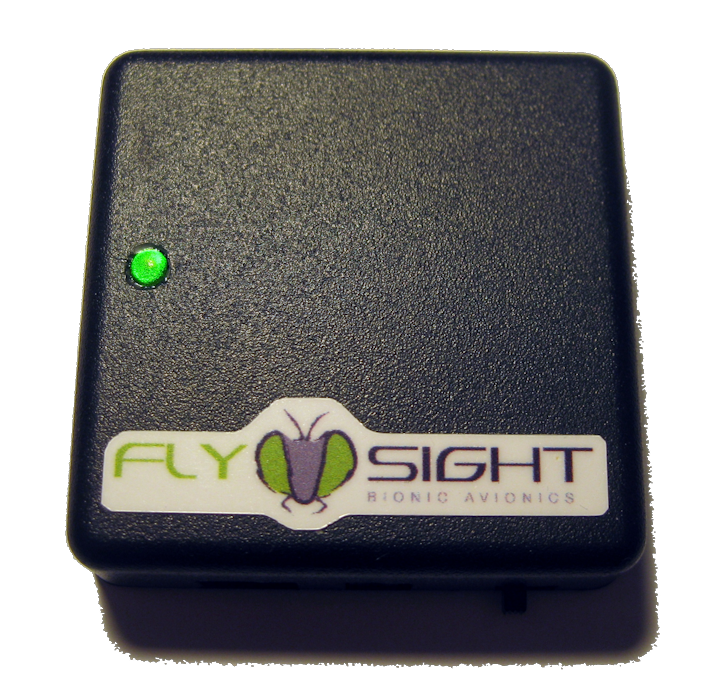 Paralog 5.4 adds support for the new FlySight, a 5Hz GPS logger with
audible realtime feedback for fall rate, glide ratio and speed.
Paralog 5.4 adds support for the new FlySight, a 5Hz GPS logger with
audible realtime feedback for fall rate, glide ratio and speed.
With these latest addtions, Paralog continues to support all freefall loggers available on the market as well as most consumer GPS and the only GPS designed specifically for skydivers.
Other changes for version 5.4:
- Interactive Google Earth Tracks
- Automatic COM port detection for audible loggers
- Interoperatibility with JumpTrack
- DZ name and elevation is read from web service
- Update to GpsBabel 1.4.2
- Improved handling of broken GPS tracks
- Paralog Performance Competition was moved to this site
- Removed support for obsolete PDB log format
- FlySight and GPX can read multiple files at once
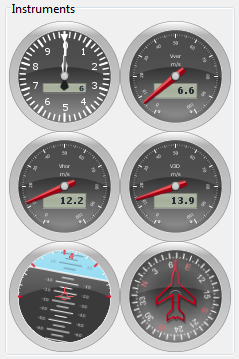
- Instruments in Jump Details View
- Several minor bug fixes
Paralog 5.3 released
 Paralog 5.3 adds support for the new
N3A audible by Alti-2
as well as the AltiTrackfrom Larsen & Brusgaard.
Paralog 5.3 adds support for the new
N3A audible by Alti-2
as well as the AltiTrackfrom Larsen & Brusgaard.
With these latest addtions, Paralog now supports all freefall loggers available on the market as well as most consumer GPS.
Other changes for version 5.3:
- Support for Windows 7
- Improved rig magement
- Improved window management, e.g. windows are relocated when stored position is off-screen
- 'Publish' uses FTP settings from license only (Use 'Export' to use your own settings)
- Several improvmeents and fixes for GPS import:
- Updated GPS import (Windows only right now).
- If a previous jump at the same DZ has been imported from GPS before, 'Auto Place' uses this information to populate the 'Place' entry.
- Improved integrated 3D view for GPS tracks (Beta)
- GPS import sets 'Place' to landing coordinates.
- Several fixes for CSV import
- Several fixes for Neptune import
- Jump logs can be backed up to and restored from your jumplog.net account.
- Several other improvements and bug fixes
 PPC - The Paralog Performance Competition
Online Competition
The competition will have three different ways of judging (depending on what you like) for time, distance or highest (ground/forward) speed, and doesn't use time, but rather a set competition window of 3km/2km for judging.
Though still subject to wind, it should be a more honest comparison/friendly competition (or just monitoring your own performance) than the time based method other websites/competitions use.
In combination with the (either full registered version or demo) Paralog, users will be able to upload their tracks from either GPS (time/distance/speed) or Neptune and ProTrack (time).
Events
Next to the online competition, the website can also serve as a base for your dropzone competition on any of the sub-disciplines. All you need is a plane, people wanting to fly, some GPS or Neptunes/ProTracks and a working internet connection.
If you want to organize a cool competition at your home DZ, one email is all it takes to get started!
Software
There is no setup fee or any other charge. For use in a dropzone event a version of Paralog 5.2 with a free, temporary event-license is the only thing you need as an organizer. For the (non event) competition on individual basis, the a registered or demo version of Paralog 5.2 will be all you need.
Though respecting the time and effort put into this, it is of course appreciated if you choose to order a full version of the software (with which you also get access to the many other exiting features).
Both in the demo and full version, all you need to do it hook up your GPS, import the data and click the submit to PPC button. The software will do all the cleaning/cutting of the data to the needed bits for you. Meaning there is no complex technical nerdness required to participate.
Detailed instructions are available on the PPC web site.
Paralog 5.0 released
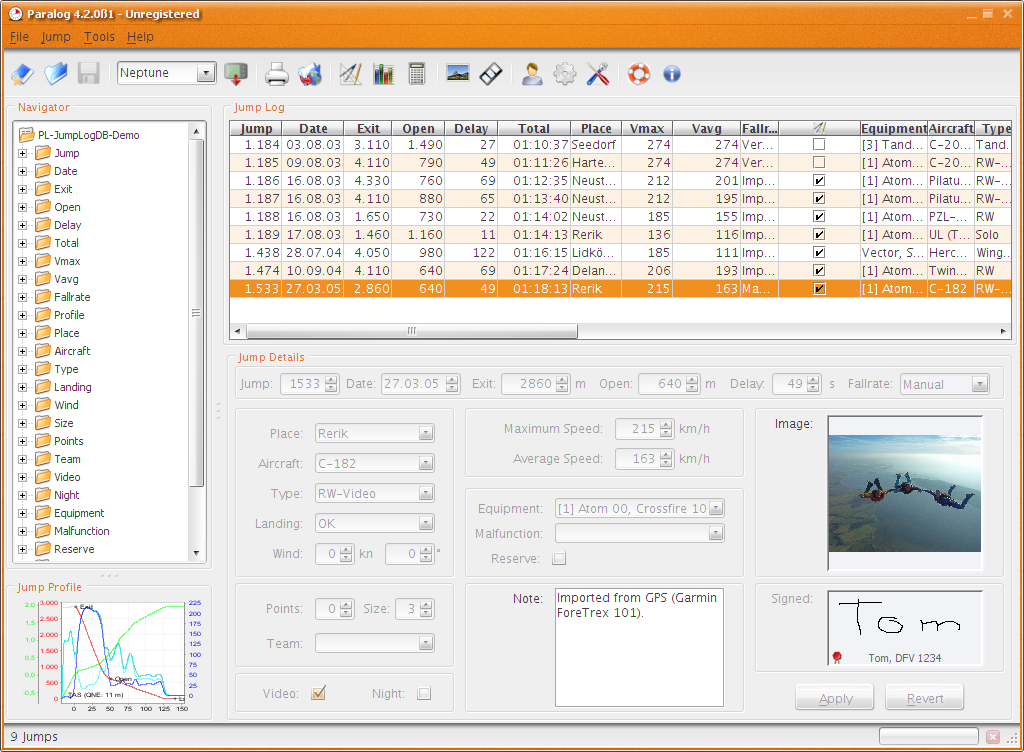 Paralog 5.0 is not only a new major version, it is almost a completly
new software featuring a completly user interface,
an integrated 3D view of GPS tracks, a companion version for Windows Mobile and support
for the new N3 by Alti-2.
Paralog 5.0 is not only a new major version, it is almost a completly
new software featuring a completly user interface,
an integrated 3D view of GPS tracks, a companion version for Windows Mobile and support
for the new N3 by Alti-2.
Other changes:
- Completly reworked the user interface, adding a navigation view and a jump profile preview to the main screen, adding new, fresh icons and different visual styles
- Logger types are now recognized intelligently, customization dialog is displayed after the download and only when new jumps were downloaded.
- Added support for AC, DZ and Jump Types (Alarm Names) for Neptune II and N3.
- Alarm names are read from Neptune when freefall alarms are disabled and surrounded with '<>' to support reading jump types from wrist mounted altimeters.
- Added support for GlobalSat DG-100, Navilink GPS, MTK, Nokia Landmark Exchange and Swiss Map GPS.
- Added integrated 3D viewer for GPS tracks (Experimental).
- New XML-based database format.
- Merged Video, Night and Reserve into jump type / malfunction.
- KML files for Google Earth are now zipped down to 30% of their original size.
- Logbooks can now be published seamlessly to jumplog.net.
- Multiple jumps can now be selected, edited and deleted at once.
- Jump details are always editable.
- Removed length limitation for note. Note can now be edited with HTML based editor. Note is no longer editable when jump is signed.
- Signature can be zoomed while signing to simplify input.
- Jump timestamp is saved/displayed with/in original timezone and kept when edited.
- Images are now stored as a reference to the original image. Thumbnail is only used as fallback.
- When the log is saved to another directory, thumbnails are saved with it. Backups are always stored in Paralog's default data directory.
- Dropped support for Paralog Companion for Palm OS.
- Added support for Paralog Companion for Windows Mobile.
- Several bug fixes.
Paralog Companion for Windows Mobile released
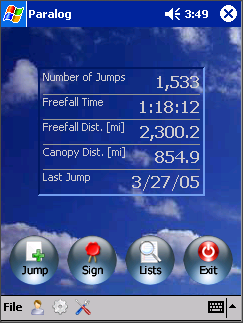 mjnSoft, known
for it's line of electronic logbooks for paragliders and general
aviation on different platforms, has formed a strategic partnership with Paralog.
As the first result of this partnership, Paralog for Windows Mobile has been released.
mjnSoft, known
for it's line of electronic logbooks for paragliders and general
aviation on different platforms, has formed a strategic partnership with Paralog.
As the first result of this partnership, Paralog for Windows Mobile has been released.
Paralog at the PIA Symposium
A new version of Paralog, the world's leading skydiving logbook and
flight analysis software, has been introduced at PIA and was well received. Most noticeable changes are the fresh user
interface, integrated 3D view of GPS tracks, a companion version for Windows Mobile and support
for the new N3 by Alti-2.
Infrared support on OSX
As most Neptune users on OSX are painfully aware, support for IR-USB adapters has been suspended starting with Tiger. David Fowler found an interesting solution to this problem:
"Some time ago I corresponded with you about using IR adapters with Paralog on Macintosh computers (for importing data from my Neptune). At the time, the only solution I found was to either import the data to a Windows machine and then transfer the file to my Macintosh, or to use my old PowerBook G3 which had a built-in IrDA port (and again transferring the file to my main Macintosh computer).
I have since come up with a direct solution. The two problems I had were 1) existing USB IrDA adapters don't have Macintosh compatible drivers, and 2) Serial IrDA adapters require more power than is available from USB-to-Serial adapters.
The serial IrDA adapters use the DTR and RTS lines for power. The problem is that these lines are signal lines that were never intended to supply device power. Actual serial ports generally drive these lines at between 9 and 12 volts. USB-to-serial adapters, however, drive these lines at only 5 volts, which is not enough to power the IrDA adapters.
I solved the problem by building a simple 'power' box between the USB-to-serial adapter and the IrDA adapter. Inside the box, I simply connected a 9-volt battery between the ground (-) and DTR & RTS pins (+) on the IrDA side (leaving the DTR and RTS pins unconnected on the USB-to-serial side)."
Neptune supported on Linux
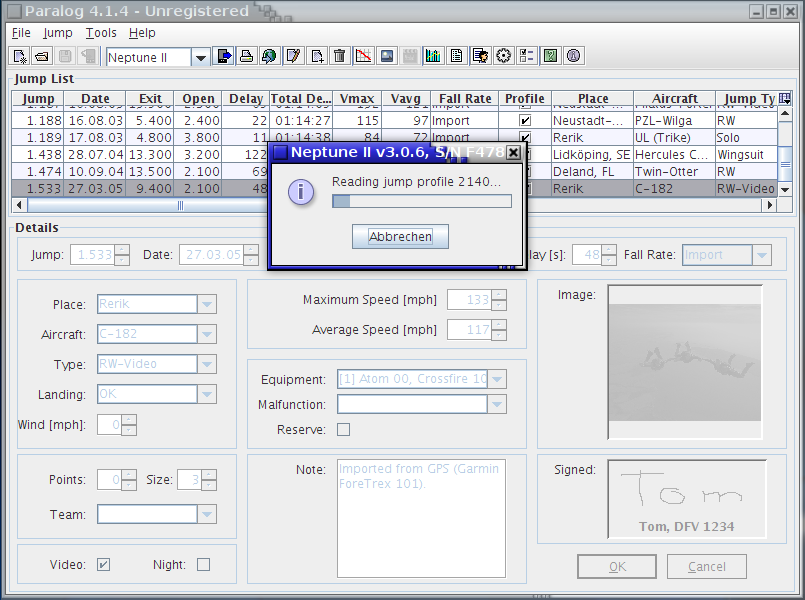 Thanks to the determination of Robie Basak, some bugs have been
fixed in the Linux IR stack, enabling Linux to connect with Neptune.
This fix should make it into the next kernel, until then
contact us
for further details and instructions.
Thanks to the determination of Robie Basak, some bugs have been
fixed in the Linux IR stack, enabling Linux to connect with Neptune.
This fix should make it into the next kernel, until then
contact us
for further details and instructions.
Paralog 4.1 released
- Added support for Neptune II by Alti-2.
- Logs can be opened by double-clicking or by dragging the files onto the jump table view.
- Jumps can dragged from the jump table view and dropped into Excel, Word, etc.
- Added support for GPS Wintec WBT-201
- Improved graphical representation of exit and open points
- Improved, smoother charts using splines instead of lines
- Duplicate jumps can be skipped, replaced or duplicated when importing CSV files
- Toolbars in the chart and profiles windows can be floated for better screen usage
- GPS profiles are cropped to 3200s before/after exit on import to reduce log size
- GPS profiles can be copied to clipboard with lat/lon information
- Better recognition and removal of empty GPS profiles on import. 'Empty' GPS tracks can now optionally be imported (so BASE-Jumps are not discarded)
- Deleting trailing/leading parts of GPS profiles was made easier
- Resolution of GPS profiles is reduced to 10 secs before exit/after landing on import to reduce log size
- The usual bug fixes...
Paralog 4.0 released
- Further improvement of export of jump tracks to Google Earth. Now supported on Linux as well!
- Virtually any GPS format is now supported - on Linux as well!
-
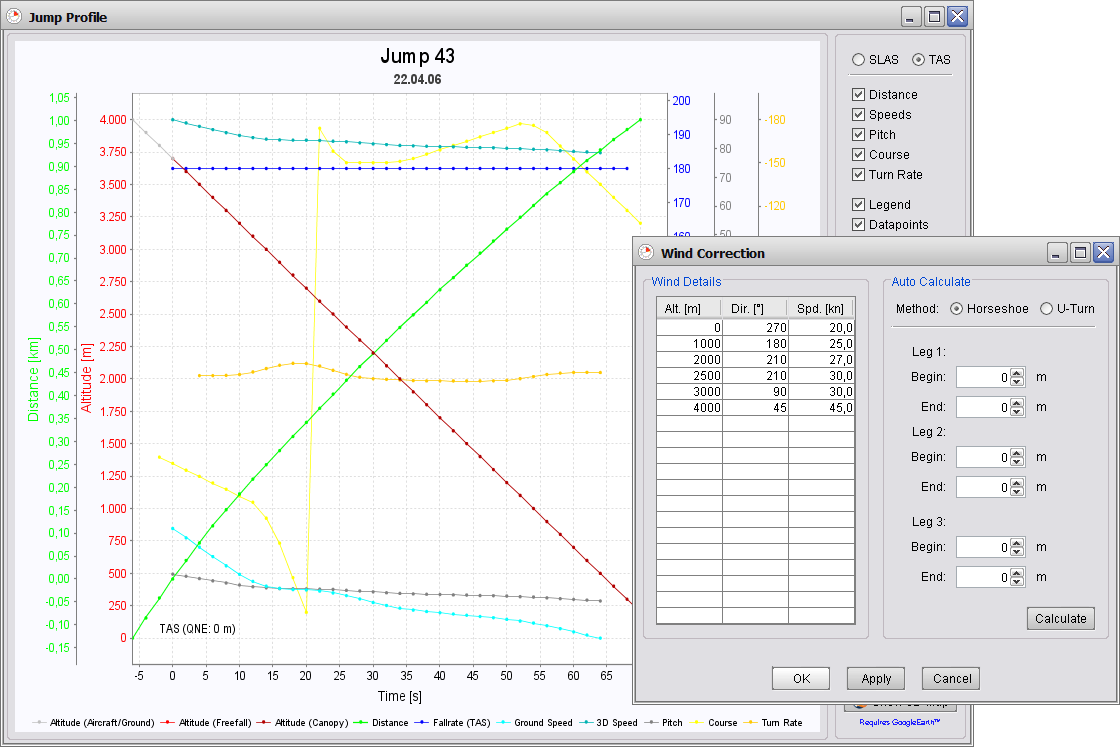
 Wind
can automatically be calculated from GPS data and the GPS track can be corrected for wind to yield
'true' performance data for horizontal speeds, distances and glide ratios.
Wind
can automatically be calculated from GPS data and the GPS track can be corrected for wind to yield
'true' performance data for horizontal speeds, distances and glide ratios. - Glide Ratio can now optionally be displayed as Pitch (in degrees), improving usability for swoopers.
- Improved speed charts and chart evaluation tools.
- Added support for pocketParalog™ files.
- Simplified registration process.
- Jump data imported from a logger/GPS can be edited.
- Improved installation process, support for Windows Vista and the usual bug fixes...
Paralog 3.1 released
Paralog 3.1 has been released, further leveraging the integration of GPS and Google Earth:
- By integrating the latest version of GPSBabel, Paralog improves support for Garmin and Magellan devices and adds support for Garmin Training Center XML and NMEA.
- In addition to extracting horizontal distance and speed, glide ratio, course, etc. from the raw GPS data, Paralog can now automatically skip old tracks downloaded from GPS and correctly number your jumps. Improved speed calculations result in more accurate speeds.
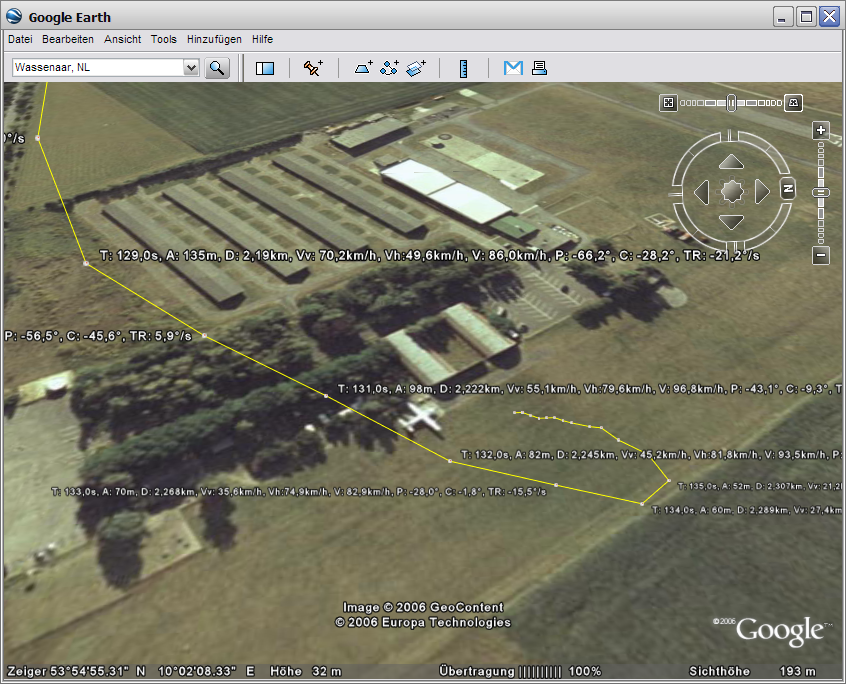
 Export
of jump tracks to Google
Earth has been improved by adding data points to the track.
The relevant data can now be displayed along the 3D track as shown in
the screenshot
to the right.
Export
of jump tracks to Google
Earth has been improved by adding data points to the track.
The relevant data can now be displayed along the 3D track as shown in
the screenshot
to the right.- 3D tracks of your jump in KML format for Google Earth can now be included in your online jump log.
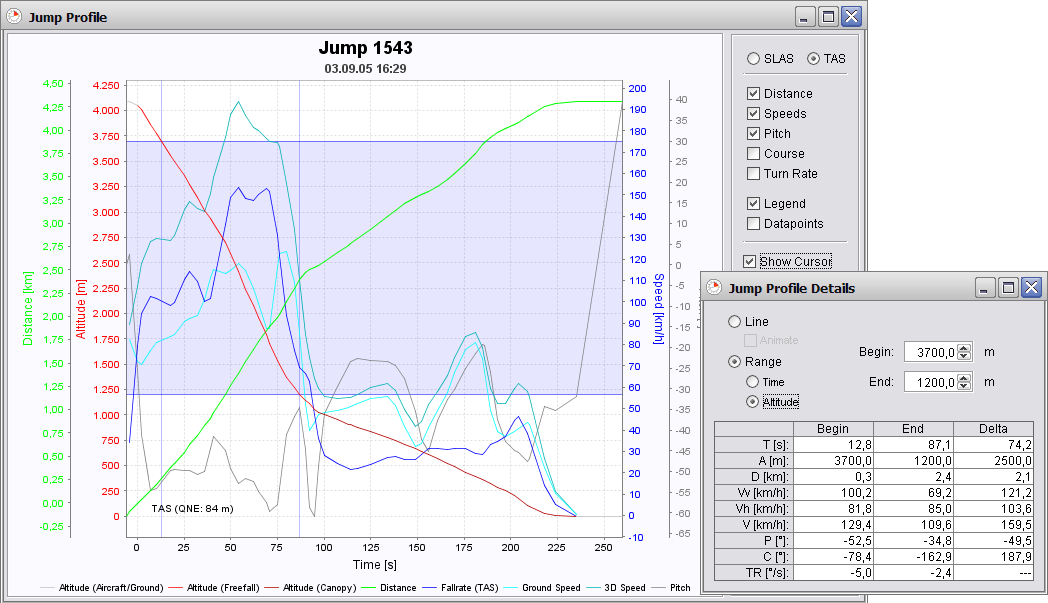
 Support
for evaluating tracking and wingsuit jumps as well as swoops based
on time or altitude. A user definable 'range' can be marked on the
track to exactly measure e.g. distances covered over this range. This
is the most flexible solution for evaluating individual flights and
judging competitions, giving full control to the user without requiring
an Internet connection!
Support
for evaluating tracking and wingsuit jumps as well as swoops based
on time or altitude. A user definable 'range' can be marked on the
track to exactly measure e.g. distances covered over this range. This
is the most flexible solution for evaluating individual flights and
judging competitions, giving full control to the user without requiring
an Internet connection!- QNE (ground level) can be overridden so that swoops do not end in the ground when displayed in Google Earth (This really looked ugly!).
 Support
for Intel-based Mac computers has been introduced with Paralog 3.1.
Support
for Intel-based Mac computers has been introduced with Paralog 3.1.
Paralog 3.0 released
 In
addition to reading data in GPX format, Paralog now supports direct
download of GPS tracks from compatible units through
the integration of GPSBabel.
Currently, download from Garmin and Magellan devices is supported, while DeLorme GPL
files can be imported directly into Paralog; others can be added based on demand.
In
addition to reading data in GPX format, Paralog now supports direct
download of GPS tracks from compatible units through
the integration of GPSBabel.
Currently, download from Garmin and Magellan devices is supported, while DeLorme GPL
files can be imported directly into Paralog; others can be added based on demand.
Google Earth has been integrated with Paralog for interactive 3D display of GPS tracks on Windows and OSX. Google Earth combines satellite imagery and elevation data for the whole planet creating a virtual globe inside your PC with high resolution data available for most populated places. Google Earth allows you to zoom, pan, tilt and rotate your view to explore the earth and even fly across the landscape.
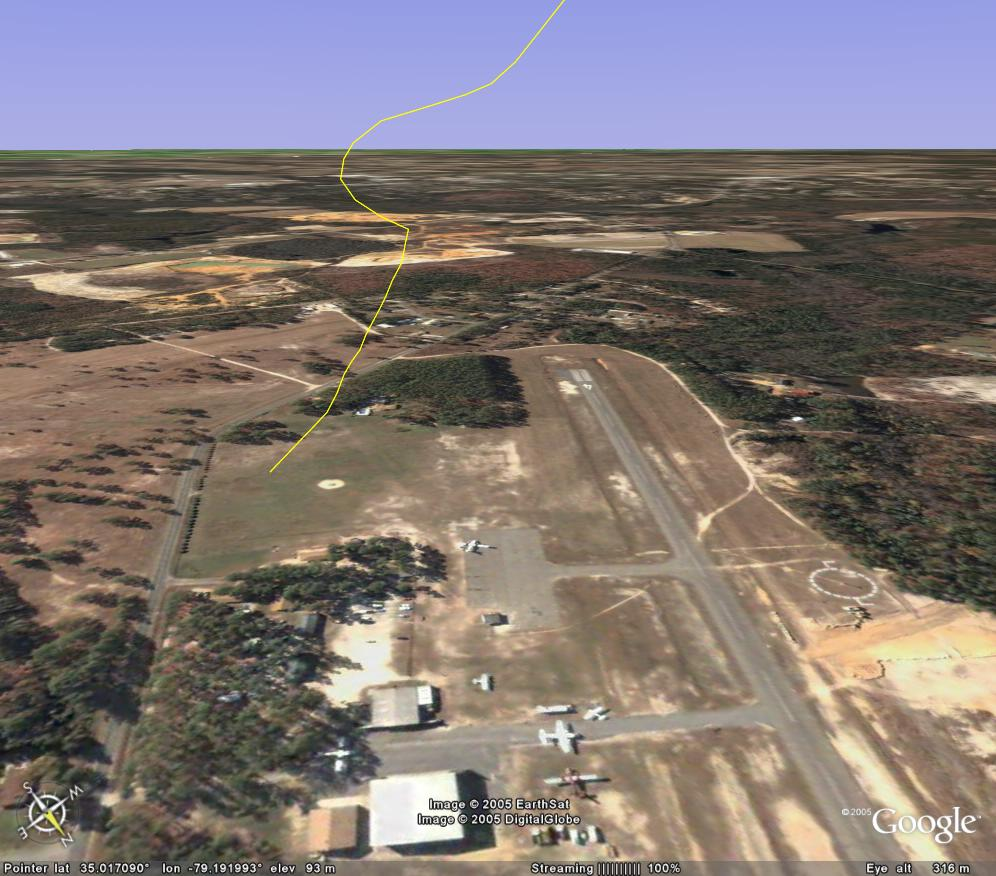 The image to the
right shows a screenshot
of a canopy flight over Raeford, NC rendered in Google Earth. As a
static image can not convey the interactive possibilities
of Google Earth, install
Google Earth and launch this
file to explore the endless capabilities of Google Earth.
The image to the
right shows a screenshot
of a canopy flight over Raeford, NC rendered in Google Earth. As a
static image can not convey the interactive possibilities
of Google Earth, install
Google Earth and launch this
file to explore the endless capabilities of Google Earth.
With Paralog, viewing a GPS track in Google Earth is just a mouse click away: Simply click the 'Show 3D-Map' button in the new jump profile view to export and open your jump track in Google Earth and view it interactively in 3D using all the features of Google Earth: tilting, panning, zooming, even flying along your flight path! You can save and share your tracks and add your own annotations.
All this works with the free edition of Google Earth. The 'Plus' version, which is usually required to import GPS data is not necessary, saving you $20/year in registration fees!
Other enhancements include an improved user interface, support for the new Skytronic GFX, automatic logging of rig information based on the jump type recorded in your freefall logger and quickly creating and changing log files for better support of multiple loggers.
Paralog 2.1 released
Working closely with well-known wingsuit flyers and swoopers, GPS support has been introduced with Paralog 2.1. Paralog can import GPS data in the standardized GPX format, automagically extract the usual jump details like exit and open altitude, delay, etc. from the raw GPS data and display all the additional information available from GPS (horizontal distance and speed, glide ratio, course, etc.) in the enhanced jump profile view. This new and unique feature makes Paralog the first software to leverage the possibilities of modern of-the-shelf GPS units specifically tailored for the requirements of skydivers!
Another major enhancement is the 'Template Based Jump Log Export': Jump logs can be exported to arbitrary formats (e.g. HTML, CSV or SSA) through flexible templates which can be easily customized by the user. The integrated FTP client allows for easy and seamless uploads of the generated files, e.g. to a web server. Four ready-made templates are included: HTML format using a plain, tabular view, HTML format using a menu driven, fully linked view with totals, jump details and lots of charts and graphs, CSV format to import into spreadsheet software, e.g. Excel and SSA format to generate video subtitles with VirtualDub. Note: This upload feature has been replaced by synchronization with jumplog.net.
NeptuneDownloader for PocketPC 1.1 released
A new version of 'NeptuneDownloader for PocketPC' has been released. Version 1.10 of NeptuneDownloader for PocketPC' now supports Windows Mobile 5.0 and (finally) the Compaq/HP iPAQ product line. 'NeptuneDownloader' is a utility for to download, display and save Neptune data for later import into Paralog.
Small Devices Version coming
Development of a 'Small Devices Version' of Paralog for PocketPC, Smartphones, etc. has started. Contact us for details.
Paralog available on CD
Paralog is now available as a boxed CD version at a dealer near you. The CD contains all the downloadable software from this site, including an easy-to-use multi-platform installer. A single user, single logger license is included in the package.